
Alipay for Foreigners 2026: Setup and Fees
Last verified: 11 Oct 2026In China almost everyone pays by QR code, and Alipay is one of the two big apps for it. The four steps below follow the official guide of China’s central bank (People’s Bank of China, 2024). All screenshots are from our own iPhone, taken in October 2026 with Alipay version 12.12.30, registered with a German phone number.
At a glance
- Phone number: the number you already have works. You don’t need a Chinese one.
- Cards: Visa, Mastercard, UnionPay, American Express, Diners Club, Discover and JCB (as listed in the app).
- Limits: up to US$5,000 per payment and US$50,000 per year.
- Not possible: sending money to individuals, sending red packets.
- Language: the app has an English interface.
- Backup: cash in yuan. Shops may not refuse it.
What you need
- A smartphone running iOS or Android.
- Your mobile number, able to receive text messages.
- A credit or debit card with a Visa, Mastercard or another of the logos above. Online payments should be switched on in your banking app.
- Your passport. The app asks for it for larger amounts.
- If your bank lets you, switch card confirmation to its app instead of text messages. Why is explained further down.
Step by step
1. Download the app
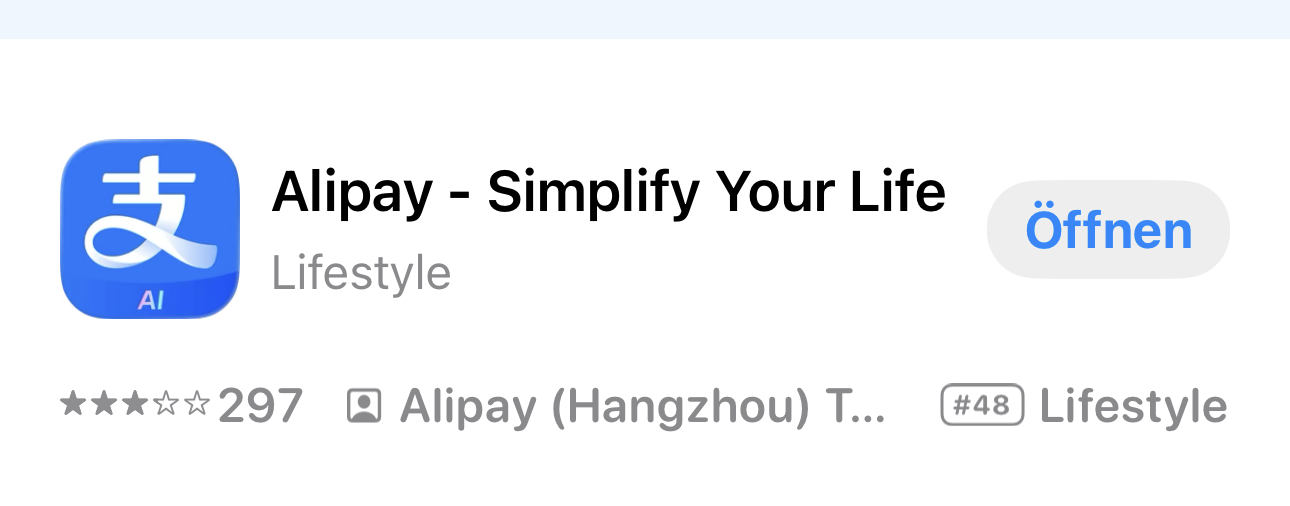
Search for “Alipay” in the App Store or on Google Play. The official app is called “Alipay – Simplify Your Life”, made by Alipay (Hangzhou) Technology. Search results often show ads for other apps above or below it, so check the developer name.
2. Register with your own phone number
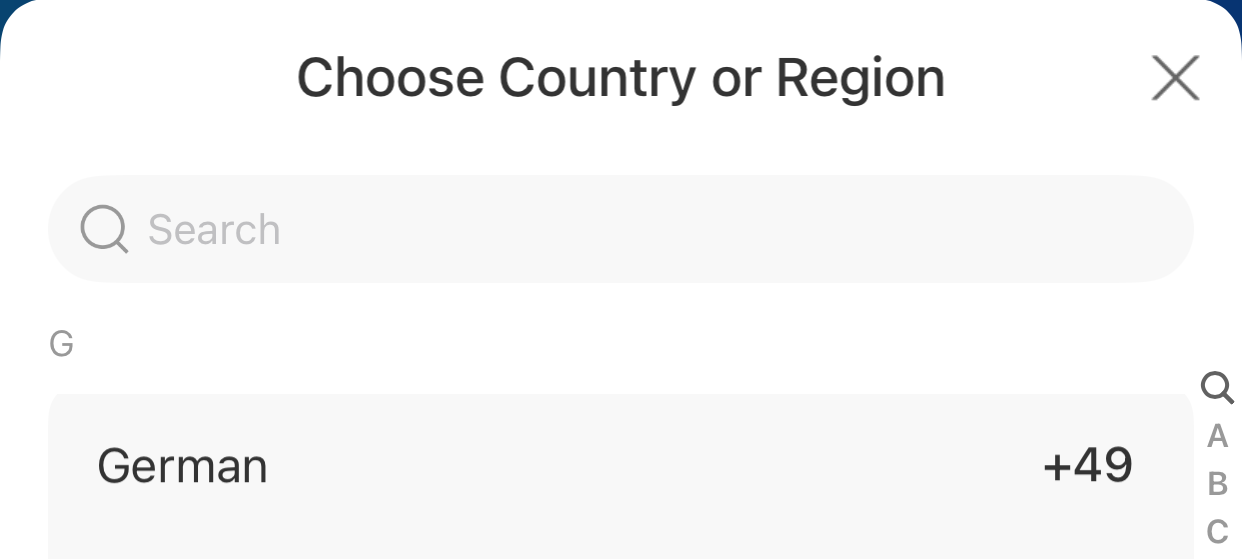
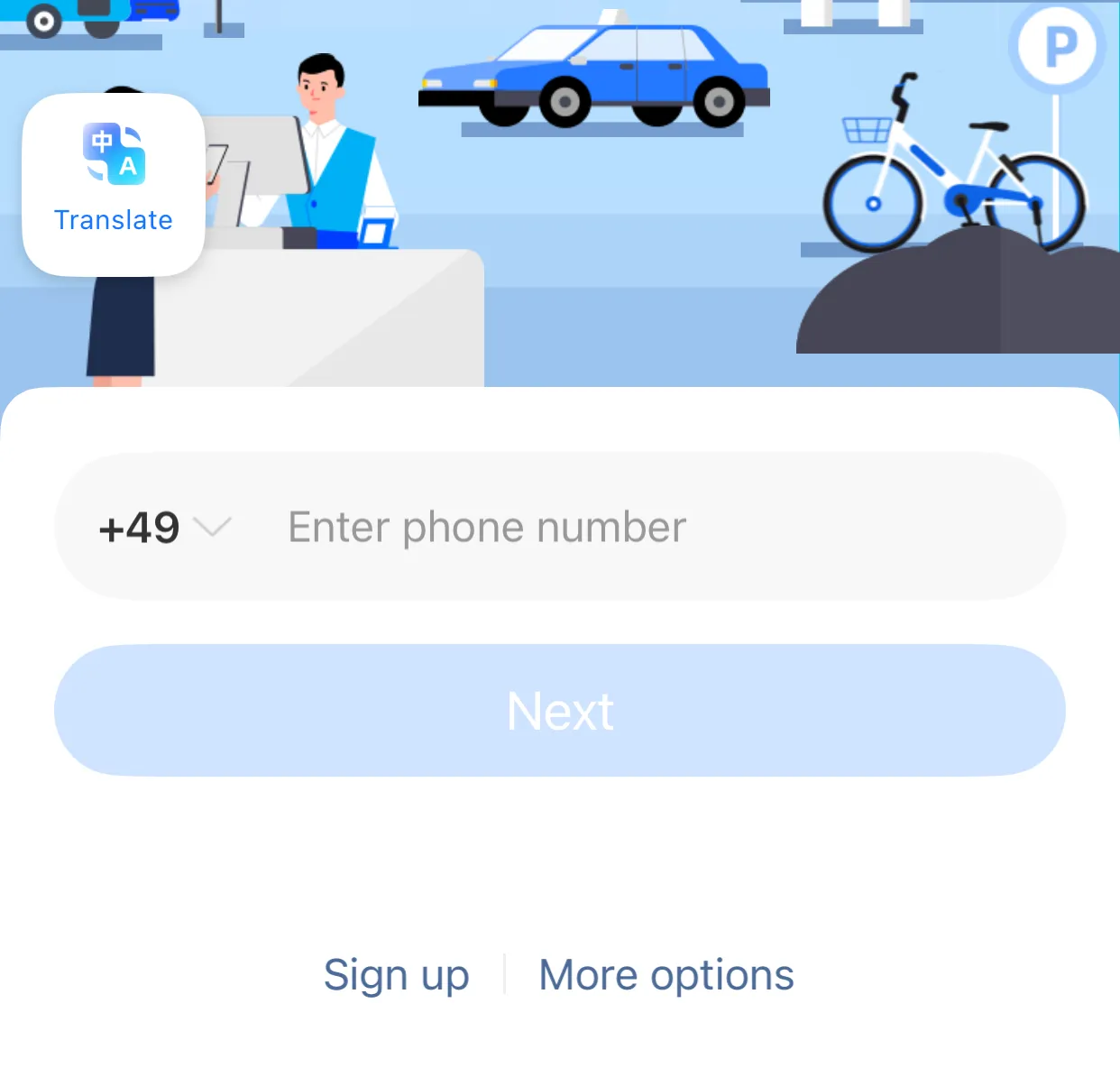
When you first open the app, you see “Welcome to Alipay”. The phone field starts with China’s country code +86. Tap it, pick your country from the list and enter your number without the leading zero of the national format. Tap “Next”. Alipay sends you a code by text message, which you type into the app. If the app asks after signing up, choose the “International Version”.
Tap the numbers on the screenshot to see what each part does:
1Country code
+86 is preselected
Tap it and pick your country from the list. On our phone that was “German +49” – the app writes “German”, not “Germany”.
Tap a number on the photo, or a name in the list.
3. Add your card
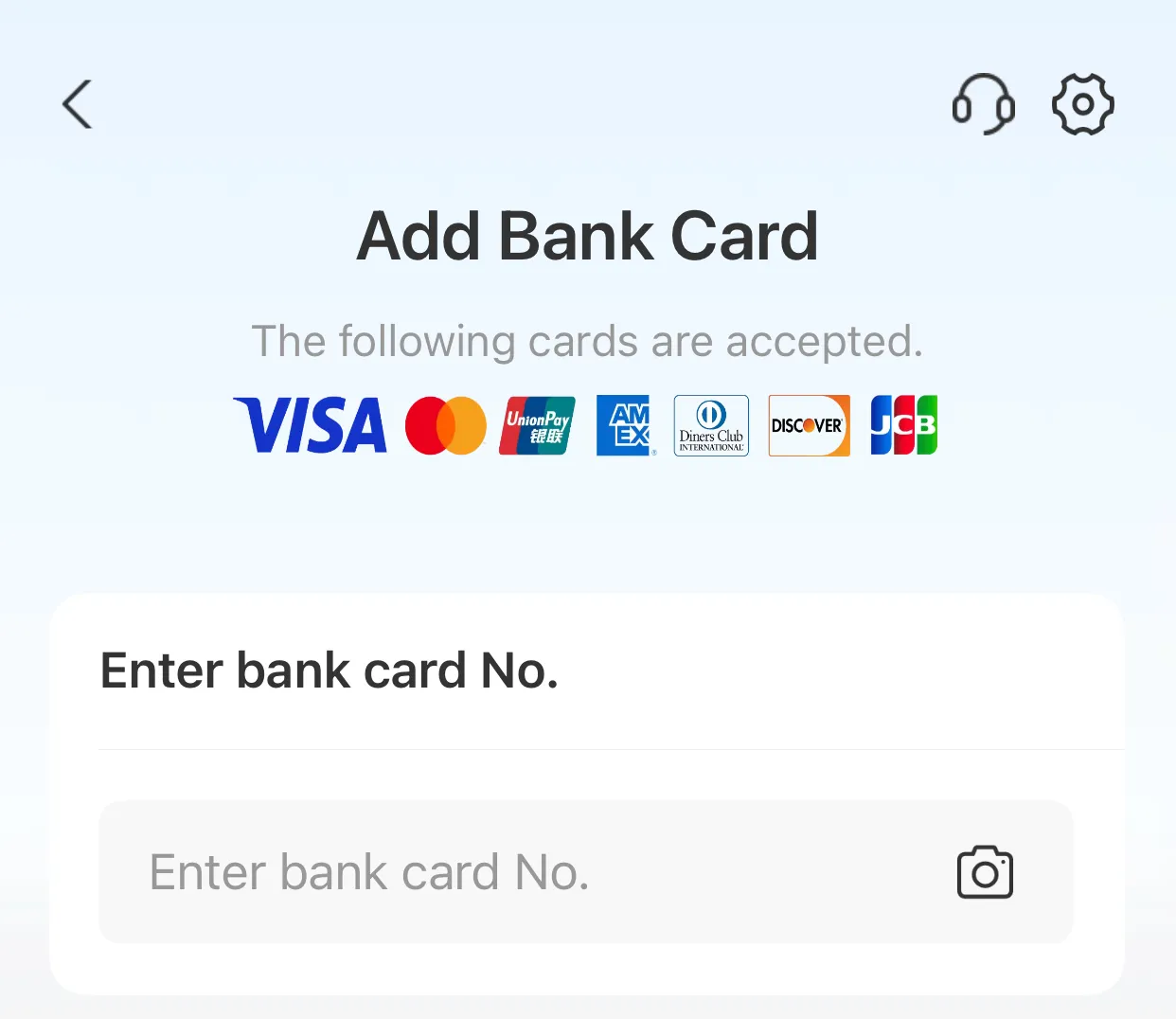
The app’s home screen shows a prompt “Add Credit or Debit Card”. Tap “Add Now” and follow the instructions. At the top of the “Add Bank Card” page, Alipay shows which card networks it accepts. Type in the card number or photograph the card using the camera icon. The app then asks for the rest of the card details. Some banks also ask you to approve the link in their banking app.
1Accepted cards
Seven card networks
Visa, Mastercard, UnionPay, American Express, Diners Club, Discover and JCB. Visa and Mastercard debit cards count; domestic-only debit cards such as Germany’s Girocard do not.
Which cards work →Tap a number on the photo, or a name in the list.
4. Pay
There are two ways. Both are at the top of the home screen:
- Scan: you scan the shop’s QR code, type in the amount and confirm. This is usual at small stalls and small shops.
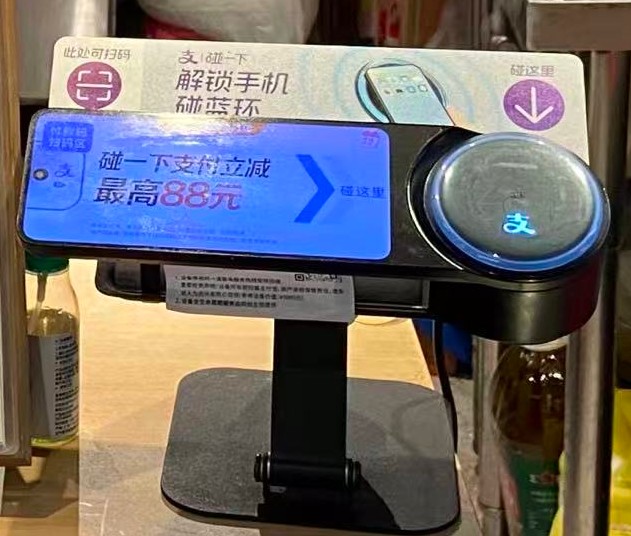
- Pay/Collect: the app shows your personal payment code, and the till scans it. This is usual in supermarkets and chains with a checkout terminal.
Only scan codes with the Alipay logo. Alipay can’t pay a WeChat Pay code. Transport opens the ride code for metro and bus – see our guide to the metro in China. How to order by QR code in restaurants is in How to order food in China.
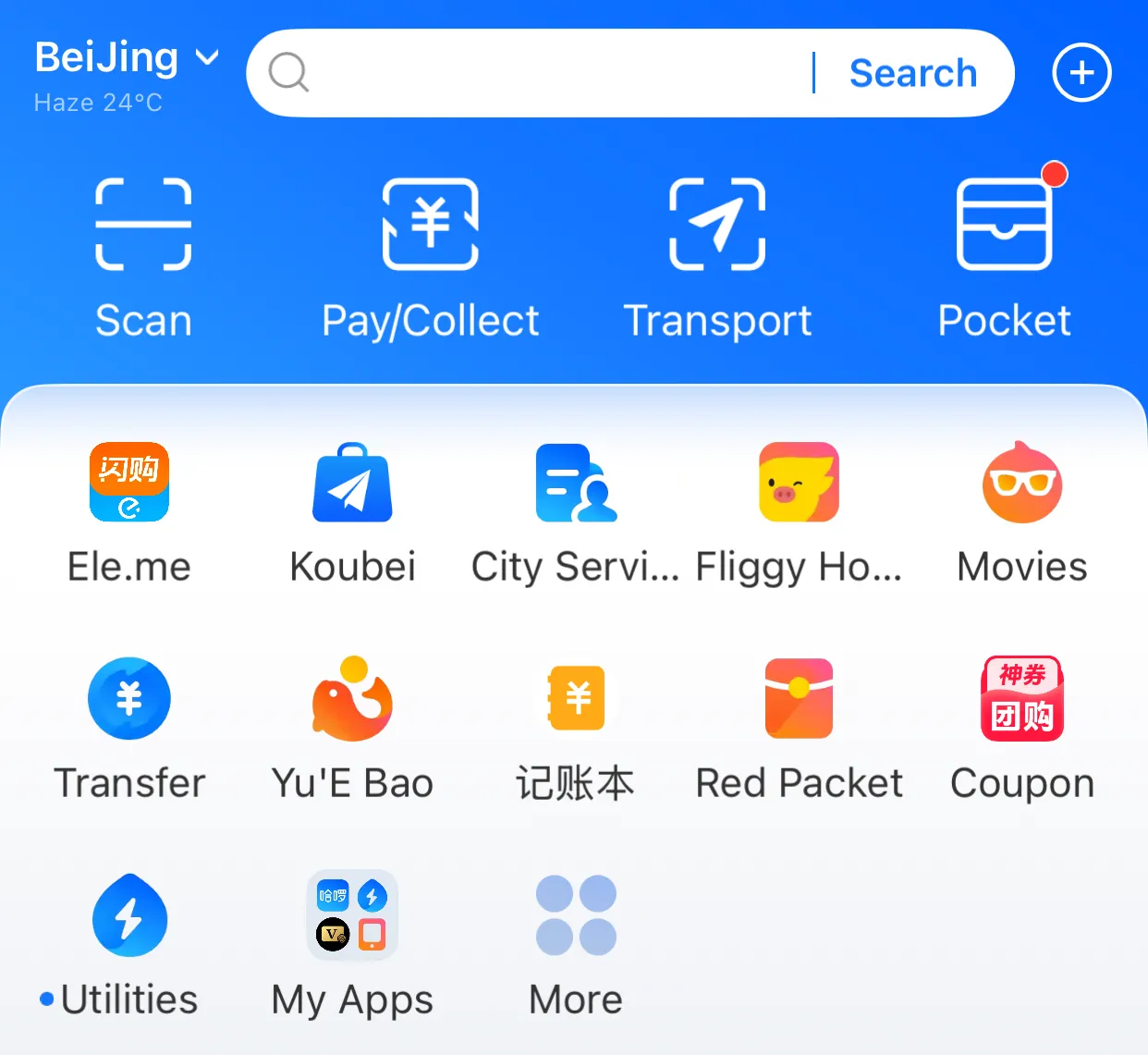
1Scan
扫一扫 · You scan
Opens the camera for the shop’s QR code. Then you type in the amount and confirm. Ask how much it is first.
Tap a number on the photo, or a name in the list.
At the till: sentences to show
Many sellers don’t speak English. Tap “Show to the cashier”: the sentence fills the whole screen and you simply hold up your phone. “Listen” has your phone read the sentence aloud in Chinese, if it has a Chinese voice installed.
可以用支付宝吗?Kěyǐ yòng Zhīfùbǎo ma?
Can I pay with Alipay?
我扫您,还是您扫我?Wǒ sǎo nín, háishi nín sǎo wǒ?
Do I scan your code, or do you scan mine?
一共多少钱?Yígòng duōshao qián?
How much is it altogether?
请扫我的付款码。Qǐng sǎo wǒ de fùkuǎnmǎ.
Please scan my payment code.
我付好了,请您看一下。Wǒ fù hǎo le, qǐng nín kàn yíxià.
I’ve paid – please check.
我的外国卡付不了,可以付现金吗?Wǒ de wàiguó kǎ fù bu liǎo, kěyǐ fù xiànjīn ma?
My foreign card doesn’t work. Can I pay in cash?
Fees and limits
- Exchange rate: Alipay charges in yuan (CNY). According to Alipay+, the rate is set by your card network and your bank. Your bank may add its own foreign transaction fee; check your card’s terms.
- Service fee: according to American Express, Alipay charges 3% on foreign-card payments over 200 CNY, on the whole amount. Example: for 300 CNY that’s 9 CNY; for 150 CNY, nothing. Alipay itself hasn’t published a fee schedule. Check the amount on the confirmation page before you pay.
- Limits: since March 2024, foreign users can pay up to US$5,000 per payment and up to US$50,000 per year. Alipay announced this following a central bank directive.
- Passport: according to American Express, Alipay asks for your passport once you have paid more than US$2,000 in a year. Only then does the full limit above apply.
What doesn’t work with a foreign card
According to Alipay+, foreign cards in Alipay are meant for purchases in mainland China. Not possible:
- sending money to individuals (including your travel companions),
- sending or receiving red packets,
- investments, insurance and other financial services.
The home screen still shows buttons such as “Transfer” and “Red Packet”, because they’re made for Chinese accounts.
Splitting the bill? Since you can’t send money to your travel companions, the simplest way is for everyone to pay their share with their own Alipay. Or one person pays and you settle up after the trip.
More than paying: ride codes and power banks
Metro and bus: according to the Shanghai government, since April 2024 you can open the ride code in Alipay and hold it to the reader on Shanghai’s metro, buses and ferries: ride first, pay later, no top-up needed. For other cities, see our guide to the metro in China.
Renting a power bank: according to the Shanghai government, you scan the QR code on the rental station with Alipay or WeChat and follow the instructions. You pay by rental time and can return the power bank to any station.
Which cards work
When you add a card, Alipay lists seven card networks (as of October 2026): Visa, Mastercard, UnionPay, American Express, Diners Club, Discover and JCB. In practice:
- Credit cards from Visa and Mastercard can be added.
- American Express works since February 2025, except cards issued by a third-party bank outside mainland China on behalf of Amex, according to American Express.
- Visa and Mastercard debit cards, which many banks issue, can be added too.
- Domestic-only debit cards without one of these logos, such as Germany’s Girocard, aren’t on the list.
Whether a card can be added and whether a payment goes through is up to your bank, not Alipay. According to the Beijing government, your bank verifies the card when you add it to Alipay. So add your card at home, make a small payment first once you’re in China, and bring a second card from another bank.
If something goes wrong
The card is declined
First check that the card network is on the list above. Then look in your banking app: are online and foreign payments switched on, and is an approval waiting? According to the Beijing government, your bank is the first place to ask about card problems, then Alipay’s customer service. If that doesn’t help, add a card from another bank.
Your bank’s confirmation code doesn’t arrive
When you add a card or pay, your bank may ask you to confirm (3-D Secure). Depending on the bank, you confirm in its app or with a code by text message. A text message goes to your home number. If you only use a data eSIM in China, it may not arrive. Before you travel, switch confirmation to your banking app if your bank offers it. If your bank only offers text messages, keep your home SIM active.
The payment fails after scanning
Usually the code belongs to another provider, such as WeChat Pay. Ask for the Alipay code, or show your own payment code (Pay/Collect).
The app asks for your passport
That’s expected for larger amounts. Enter your name exactly as it appears in your passport and follow the app’s instructions.
You paid the wrong amount or want a refund
Contact the shop you paid first. If you get nowhere there, Alipay’s customer service can help (below).
Alipay doesn’t work at all: cash as a backup
Shops in China may not refuse cash in yuan. China’s central bank requires this (Announcement No. 18/2020), and in 2024 it fined businesses that refused cash. Some cash in your pocket is the simplest backup when your card or the app fails. Whether every shop has enough change is another matter, so small notes help.
Help from Alipay
Alipay has an English-language hotline: +86 571 2688 6000, daily from 8 am to midnight China time. In the app, the headset icon opens customer service.
About this page
- China Panorama isn’t affiliated with Alipay, Ant Group or Apple and earns no commission from this page.
- We took the screenshots ourselves on an iPhone (Alipay version 12.12.30 and the App Store, October 2026) and cropped out personal data. The interfaces, logos and trademarks shown belong to their owners, mainly Ant Group (Alipay) and Apple (App Store). We show them only to explain the steps. The photo of the checkout terminal is our own.
- Alipay sets fees, limits and procedures and can change them. What the app shows before you confirm a payment is what counts. This page isn’t financial or legal advice.
Sources
Everything on this page is based on these sources (accessed 11 October 2026):
- People’s Bank of China – Guide to Payment Services in China (PDF), 15 March 2024: the official four-step process, card networks, English hotline
- Alipay+ (Ant International) – Pay in the Chinese mainland: restrictions for foreign cards, exchange rate, hotline hours
- China Securities Journal (中证网) – Alipay’s statement on the new limits, 8 March 2024 (Chinese)
- Shanghai Municipal Government – A guide to linking international bank cards to Alipay, 11 December 2023: no Chinese phone number needed
- Beijing Municipal Government – Guide to Working and Living in China 2024: Daily life services: foreign phone numbers, card verification by your bank, whom to ask about problems
- American Express – Pay using Alipay while travelling in the Chinese Mainland (PDF): service fee, passport threshold, exclusion of third-party-issued cards
- Shanghai Municipal Government – American Express cardholders can now use Alipay, 28 February 2025
- Shanghai Municipal Government – ride code for metro, bus and ferry, 22 April 2024 and shared power banks, 8 March 2024
- The Paper (澎湃新闻) – central bank fines seven businesses for refusing cash, 2024 (Chinese), citing People’s Bank of China Announcement No. 18/2020
We check this page every month – the date of the last check is next to the title.
FAQ
Do I need a Chinese phone number for Alipay?
No. You register with the number you already have: on the start screen, tap the preselected code +86 and pick your country from the list. The number must be able to receive text messages.
Which cards can I add to Alipay?
When you add a card, Alipay lists the networks it accepts: Visa, Mastercard, UnionPay, American Express, Diners Club, Discover and JCB. Visa and Mastercard debit cards work too. Domestic-only debit cards without one of these logos, such as Germany's Girocard, can't be added.
Can I send money to friends or send red packets with Alipay?
Not with a foreign card. According to Alipay+, foreign cards are meant for purchases in mainland China. Transfers to individuals, red packets, investments and insurance are excluded.
Does American Express work with Alipay?
Mostly yes. Since February 2025, American Express cards can be added to Alipay. According to American Express, cards issued by a third-party bank outside mainland China on behalf of Amex are excluded.
When do I have to upload my passport to Alipay?
According to American Express, Alipay asks for your passport once you have paid more than US$2,000 in a year. After that, the full limit of US$5,000 per payment and US$50,000 per year applies.
How much are Alipay's fees for foreign cards?
According to American Express, Alipay charges 3% on foreign-card payments over 200 CNY, on the whole amount: for 300 CNY that's 9 CNY. Smaller payments carry no Alipay fee. Your bank may add its own foreign transaction fee.
My bank's confirmation code doesn't arrive in China. What can I do?
Many banks send the code for card payments by text message to your home number. With a data-only eSIM it may not arrive in China. Before you travel, switch card confirmation to your banking app if your bank offers it, or keep your home SIM active.
Can shops in China refuse cash?
No. Shops in China may not refuse cash in yuan. China's central bank requires this (Announcement No. 18/2020), and in 2024 it fined businesses that refused cash. Some cash is therefore a good backup if Alipay doesn't work.
Can I set up Alipay before I travel?
Yes, and it's a good idea: registering and adding your card work at home too. That way you know before the trip whether your bank allows the link. Paying only works in China.
Changelog (1)
- 2026-10-11First published: steps follow the official guide of the People's Bank of China, with our own screenshots of the Alipay app (iOS, October 2026) and answers to common problems (bank confirmation, American Express, cash).